
Roland VS-840
The Roland VS-840 is another piece of equipment that Andy said was used to record a lot of the bands material, originally thought to only have been used on D>M and Kicking Cars, it turns out the band also had it while recording a lot of songs that are on Ferric Oxide, the most obvious of which being Neilssong, which uses the LO-FI Box "Retro Turntable" preset on the effects list of the VS-840 with the Yamaha DJX playing into it
The VS-840 also has a bit of an odd limitation where it cuts off a lot of high frequencies above 16khz, leading to something that resembles a purposefully lo-fi sound, despite this, it was totally unintentional.
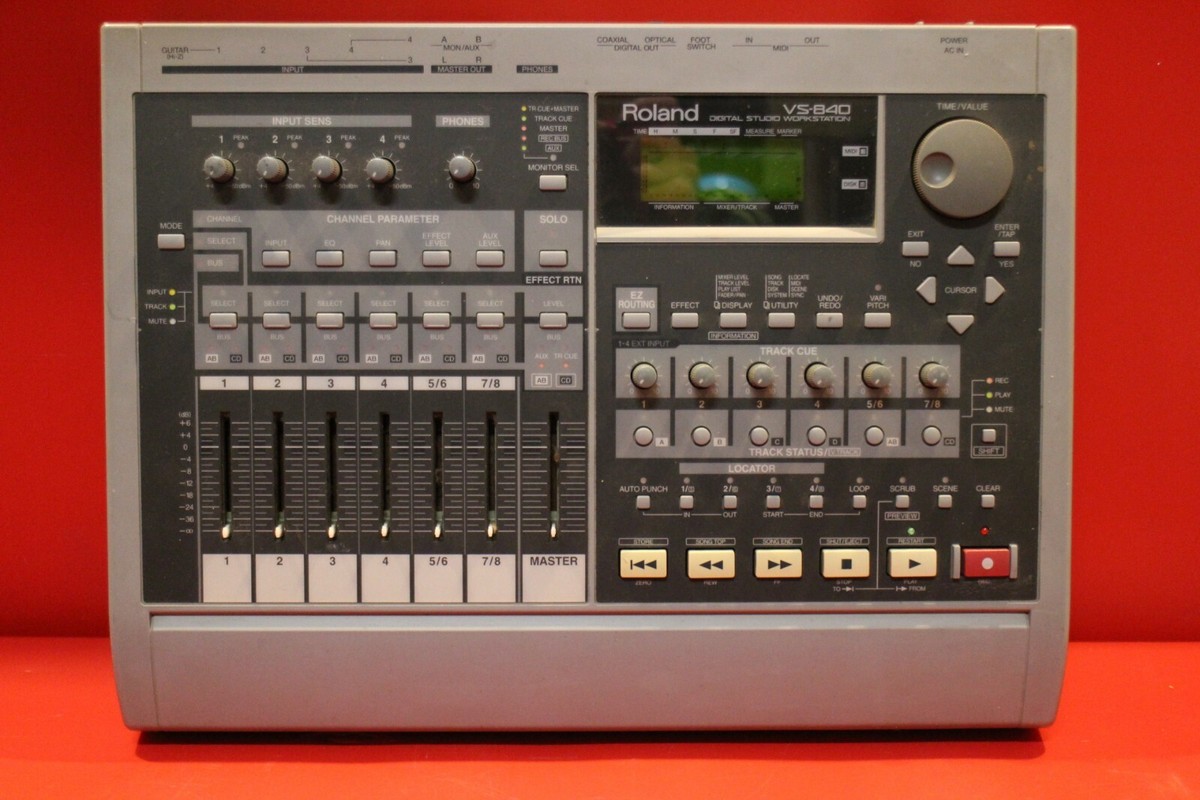
I actually happen to own one of these and am still looking through a lot of the effects on it to find out what else was definitely used in Panchiko's music, so far i'm certain some of the guitar effects processing was used in No.8, Laputa, and D>M, but i'm waiting to give it a proper in-depth look before i say for sure.
Lila's Guide to the VS-840
There is virtually no info online about how to use the VS-840 except from a few manuals, but with Roland being Roland, the UI can be a bit tricky to use so I figured i may as well attempt (key word: attempt) to make a guide on how to use the thing for your own music!
Upgrading the ZIP Disk drive:
A fair thing to be aware of with if you wish to swap out the ZIP drive to be a CF and/or SD reader is that you NEED to update the firmware on the unit to the VS-840EX's firmware, version 2.05 to be precise.
The VS-840 can run this firmware despite not technically being an 840EX, all of the software for the EX version of the unit can run on the standard version too, but the part that really really sucks is that you can't actually update it over MIDI like you can to version 1.05 (the latest officially supported firmware for the standard 840). You have to update it over a ZIP disk, i've considered doing this in the past but didn't purely because of this issue. The way i thought about getting around it was by powering off my VS-840, taking the ZIP drive out and connecting it up to my Windows XP era desktop PC (the zip drive in the 840 just uses IDE.) to add the files to the disk, then put it back into the VS-840, but i haven't gotten around to it yet.
Okay, now on actually using the VS-840.
When you first turn on the VS-840, immediately you'll notice it's nothing like a modern DAW, so to begin with i'm gonna explain a few things that really threw me off when i started using it.
What on earth is a virtual track?
This might sound super simple, but truthfully it makes no sense to me coming from a modern DAW perspective, the Roland VS-840 TECHNICALLY has 64 virtual tracks, it's not as good as it sounds.
The VS-840 can only playback EIGHT tracks at once (not including summed tracks), and can only record FOUR at once.
V-Tracks are essentially your takes, each physical track has 8 V-tracks, you can only listen back and record one at a time. V-tracks are simply used as a way to keep your takes in order.
What is a scene?
A scene is essentially a preset of mixer settings that you can store for each song, so if you decide to change a mix, you can go back without losing everything and A/B test.
How do i swap between/create a new song?
Press UTILITY and hit ENTER/TAP to go into the song menu, then choose either SELECT, NEW, or ERASE depending on what you want to do.
What is MT1, MT2, LV1 and LV2?
Recording modes, because the VS-840 only has a 100mb zip disk reader it has different options for compressing your tracks.
This is an excerpt from the official VS-840 FAQ which helped me understand
Click to enlarge :)
;)
(Unfinished, will complete at a later date, sorryyyy!!!)